2. How do I set a person's date of birth?
 1:27
1:27
"How do I set a person's date of birth?"
Your date of birth is an essential piece of info for both payroll and government submissions.
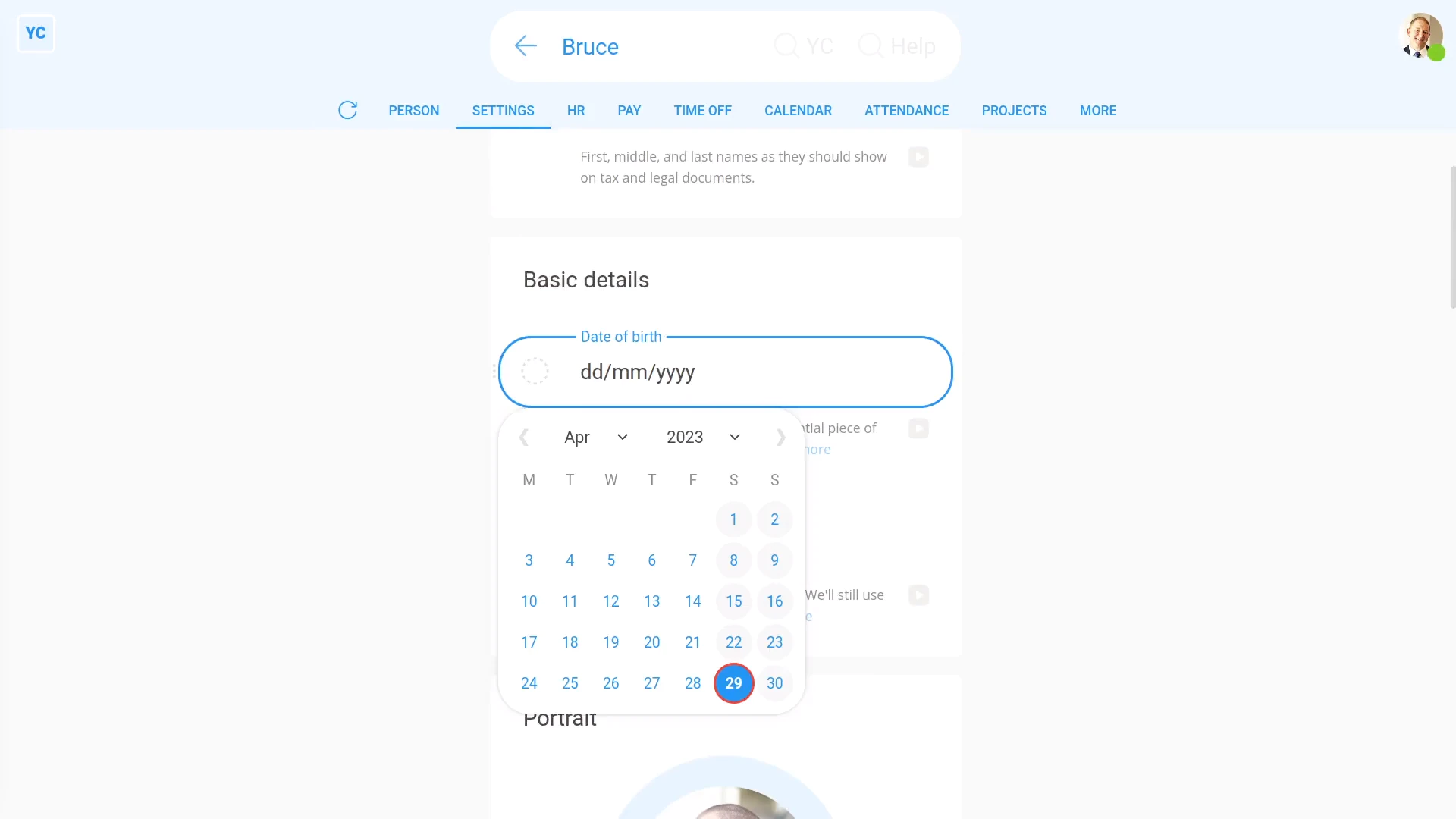
To set a person's date of birth:
- First, select the person on: "Menu", then "People"
- Then tap: "Settings", then "Person settings"
- A calendar pops open when you tap into: "Date of birth"
- Set the year first.
- Then set the month, and day.
- And finally, tap: Save

You may notice:
- That, after saving, and after you tap the "Reload tab" button: (at the top)
- Then when you hover your mouse over the "Date of birth" box, you can see the person's exact age.
Keep in mind that:
- For younger people, whose pay is set to "Tracking minimum wage", an accurate date of birth is essential.
- Their age can affect how much a younger person's paid, if the person's on minimum wage.
To learn more:
- About how setting the date of birth affects minimum wage, watch the video on: Tracking minimum wage
 Tracking minimum wage
And that's it! That's everything you need to know about setting a person's date of birth!
www.1st.money/uk/help/People/2._How_do_I_set_a_person's_date_of_birth