How do things look when a person's got payroll admin permissions?

 2:11
2:11
"How do things look when a person's got payroll admin permissions?"
A "payroll admin" is a person who's got "Full payroll admin" permissions (which means the person automatically also has "Full org admin" permissions).
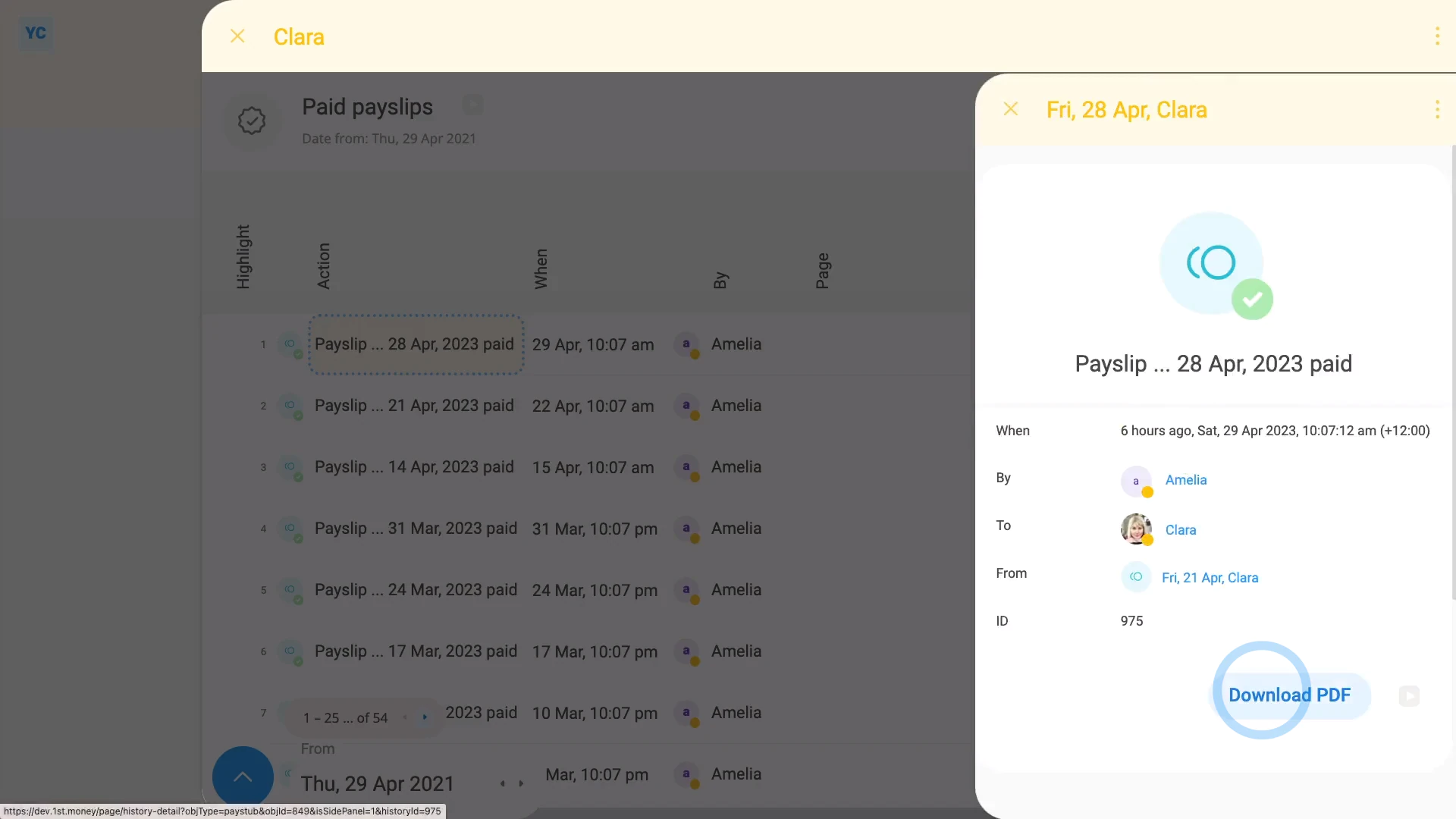
To understand what a person with "Full payroll admin" permissions can see and do:
- First, a payroll admin can do everything an org admin can do. In addition, a payroll admin...
- Can see payroll groups, at: "Menu", then "Payroll groups"
- And can pay people's payslips, at: "Payroll group", "Pay", then "Process payroll"
- And can download a payslip PDF for any person, at: "Person", "Pay", then "Paid payslips"
- And can see a pay estimate for any person, at: "Person", "Pay", then "Pay summary"
- And finally, a payroll admin can see (and change) everyone's pay rates and tax settings.
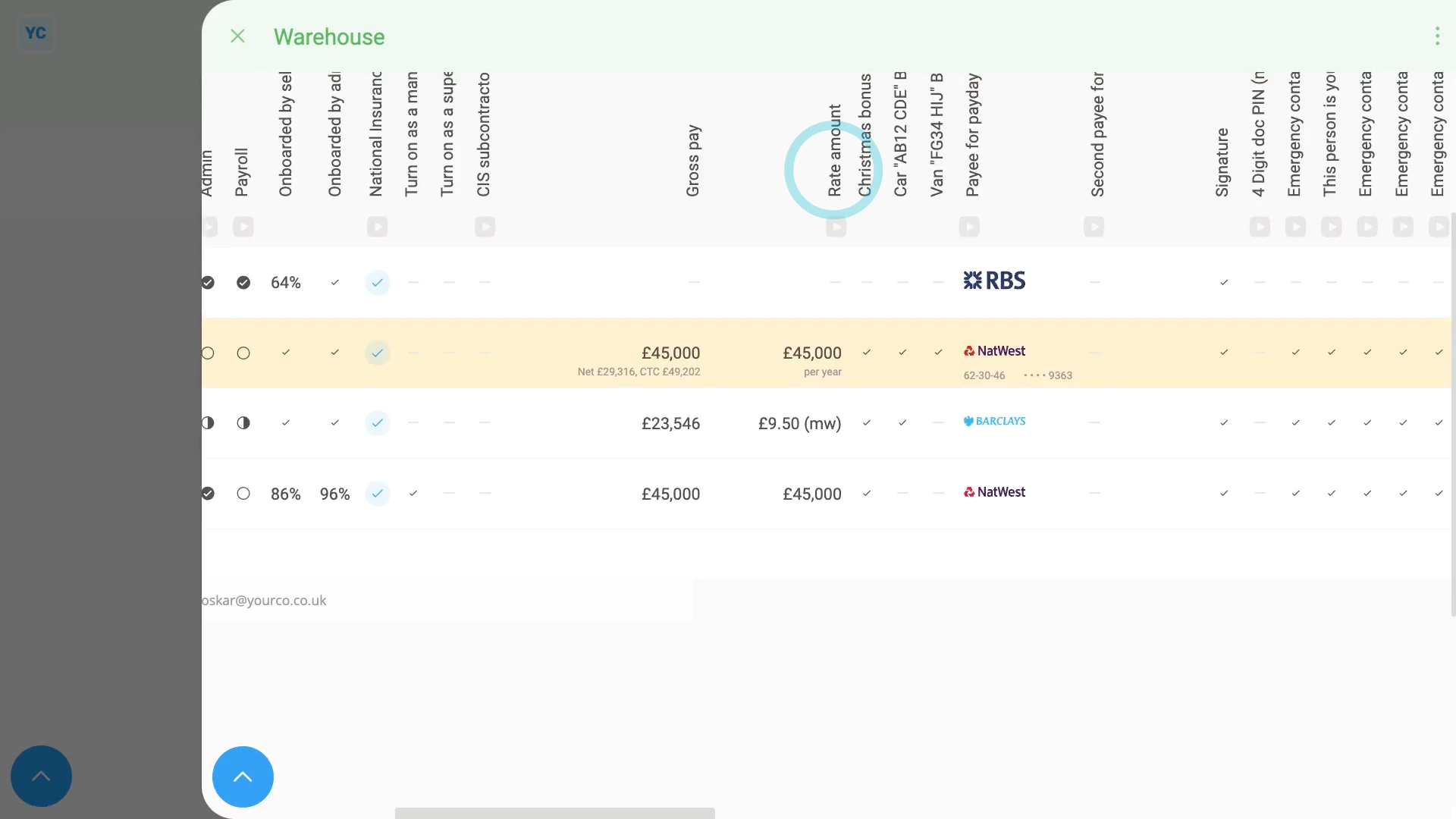
To see everyone's pay rates in a payroll group:
- First, select the payroll group on: "Menu", then "Payroll groups"
- Then tap: "Pay", then "People"
- You may prefer to tap the tick boxes (at the start of any row).
- With the highlight turned on, it's easier to keep track of rows as you scroll across.
- Then scroll across to the "Rate amount" column.
- And finally, as a payroll admin, you can tap the "Rate amount", and instantly make changes.

Keep in mind that:
- You can set a person's permission to be a payroll admin, at: "Person", "Settings", then "Permissions"
- Also, only a person that's already a payroll admin, can set another person to be a payroll admin.
And that's it! That's everything you need to know about how things look to a person who's got "Full payroll admin" permissions!
How do things look when a person's got org admin permissionsImport 1. How do I import people when switching from my old payroll
www.1st.money/uk/help/People/How_do_things_look_when_a_person's_got_payroll_admin_permissions